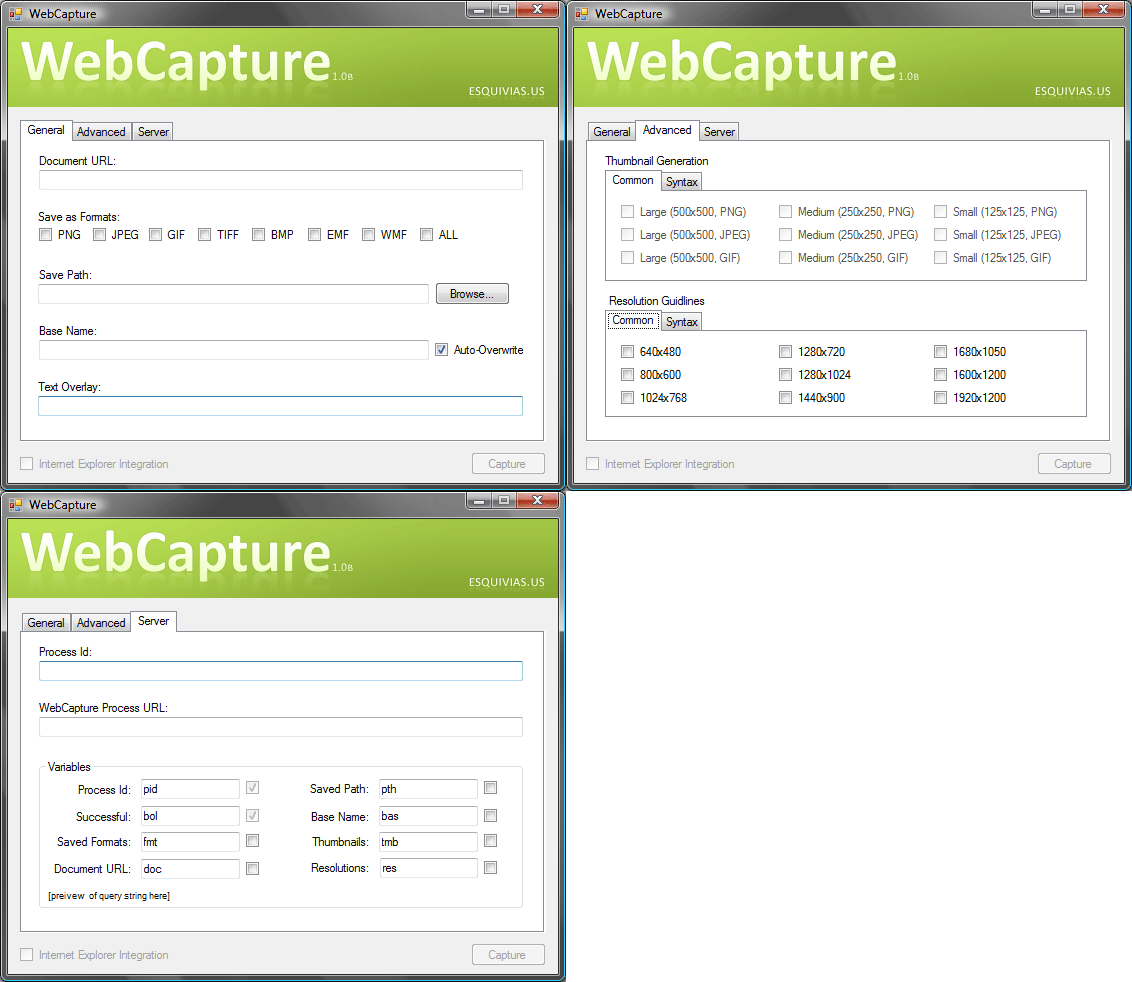
http://www.codeproject.com/KB/vb/WebCapture.aspx
但是也有更簡潔的程式, Console就可以執行, IECapt
-----------------------------------------------------------------------------
Usage: IECapt --url=http://www.example.org/ --out=localfile.png
-----------------------------------------------------------------------------
--help Print this help page and exit
--url=
--out=
--min-width=
--max-wait=
--delay=
--silent Whether to surpress some dialogs
-----------------------------------------------------------------------------
http://iecapt.sf.net - (c) 2003-2008 Bjoern Hoehrmann -
只需要提供網址以及儲存檔名跟附加選項, 就可以很容易被其他程式外部呼叫. 雖然這是一隻獨立的Win32 Exe, 但是現在各語言已經有提供外部呼叫程式並等待其結束後再返回原有程式繼續執行. Java使用時亦很方便.
Process proc = Runtime.getRuntime().exec("exec command string");
int exitValue = proc.waitFor();
http://iecapt.sourceforge.net/


 This guide is for Windows only, as most of the software works on Windows only.
 Just like any other Media Software, just pop ur CDs in & u can rip the contents to Moocs library.
To sync with ur phone, drag the songs to the SD card. The program will automatically encode ur songs into SD-Audio.
To add album art, drag pictures to the box on the upper left, below the word “Moocs”
For more details, refer to K_Gokiburi's post:
Just like any other Media Software, just pop ur CDs in & u can rip the contents to Moocs library.
To sync with ur phone, drag the songs to the SD card. The program will automatically encode ur songs into SD-Audio.
To add album art, drag pictures to the box on the upper left, below the word “Moocs”
For more details, refer to K_Gokiburi's post:

 U will need to convert ur song collection to WMA before dumping them to WMP library.
I use dBPoweramp converter + WMA codec.
- Choose WMA 9.2 /Lossless.
- Either VBR or CBR is fine
- 192Kbps for best quality/size ratio.
Album art/jacket guide:
- Highlight all the particular songs that u want to add cover to, then drag cover art picture into the square next to the songs (see pic above).
- Another method, highlight all the particular songs, right click & select "Advanced Tag Editor", go to "Pictures" and add ur album cover there. Choose "Cover (front)" for the "Picture Type".
If the album art doesn't appear on the phone, it means the album art picture is not embedded correctly into the songs.
Go back to WMP library, right click on the song and choose "Advanced Tag Editor". Go to "Pictures" and make sure there's an album art there, also "Cover (front)" must be selected on the "Picture type".
Click the “Start Sync” button at the lower right corner once you’ve dragged all ur files into the phone.
After its done, disconnect the USB cable and fire up the music player on ur phone.
U will need to convert ur song collection to WMA before dumping them to WMP library.
I use dBPoweramp converter + WMA codec.
- Choose WMA 9.2 /Lossless.
- Either VBR or CBR is fine
- 192Kbps for best quality/size ratio.
Album art/jacket guide:
- Highlight all the particular songs that u want to add cover to, then drag cover art picture into the square next to the songs (see pic above).
- Another method, highlight all the particular songs, right click & select "Advanced Tag Editor", go to "Pictures" and add ur album cover there. Choose "Cover (front)" for the "Picture Type".
If the album art doesn't appear on the phone, it means the album art picture is not embedded correctly into the songs.
Go back to WMP library, right click on the song and choose "Advanced Tag Editor". Go to "Pictures" and make sure there's an album art there, also "Cover (front)" must be selected on the "Picture type".
Click the “Start Sync” button at the lower right corner once you’ve dragged all ur files into the phone.
After its done, disconnect the USB cable and fire up the music player on ur phone.

 If u didn't see the
  Now drop ur mp4 or 3gp files into one of these folders. Rename the files as
  If u didn't see the
  Rename ur files as